.png)

.webp)
Living on Bitcoin is no longer a technical challenge.
You can earn it, store it in self-custody, and — with tools like wave.space — you can spend it anywhere using a debit card.
But there’s one part of the journey where everything still breaks down: taxes.
The moment you start actually living on Bitcoin, the problem compounds.
Every coffee...
Every ride...
Every subscription...
In many jurisdictions, each of these becomes a taxable event.
What feels like financial freedom quickly turns into hundreds of transactions you now have to track, categorize, and report.
This is where most people give up — not because Bitcoin doesn’t work, but because the system around it does.
If Bitcoin is going to work as everyday money, it’s not enough to make it easy to spend. It also has to be trackable, reportable, and compatible with existing systems. Otherwise, every payment creates hidden friction that quietly pushes people back to fiat.
From hundreds of transactions to one report
To remove this friction, we partnered with CoinTracking — one of the leading platforms for crypto tax reporting.
Together, we’ve made it simple to go from hundreds of Bitcoin transactions to a clean, tax-ready report in just a few steps.
Before:
- Manually sorting through transactions
- Categorizing each payment
- Trying to match formats for your local tax authority
Now:
- Export your full transaction history from wave.space
- Upload it directly to CoinTracking
- Generate a report tailored to your country
No manual mapping. No spreadsheet headaches.
How it works
1. Register on CoinTracking
Firstly, you should register on CoinTracking and choose your plan. They do have a free tier for some general reports, but tax reports specifically are included with paid plans starting from 39€/year (you can get 10% discount if you sign up using our link).
2. Export transactions from wave.space
Navigate to "Transactions & Taxes" on your account and choose the period for which you want to export all transactions.

3. Import transactions into CoinTracking
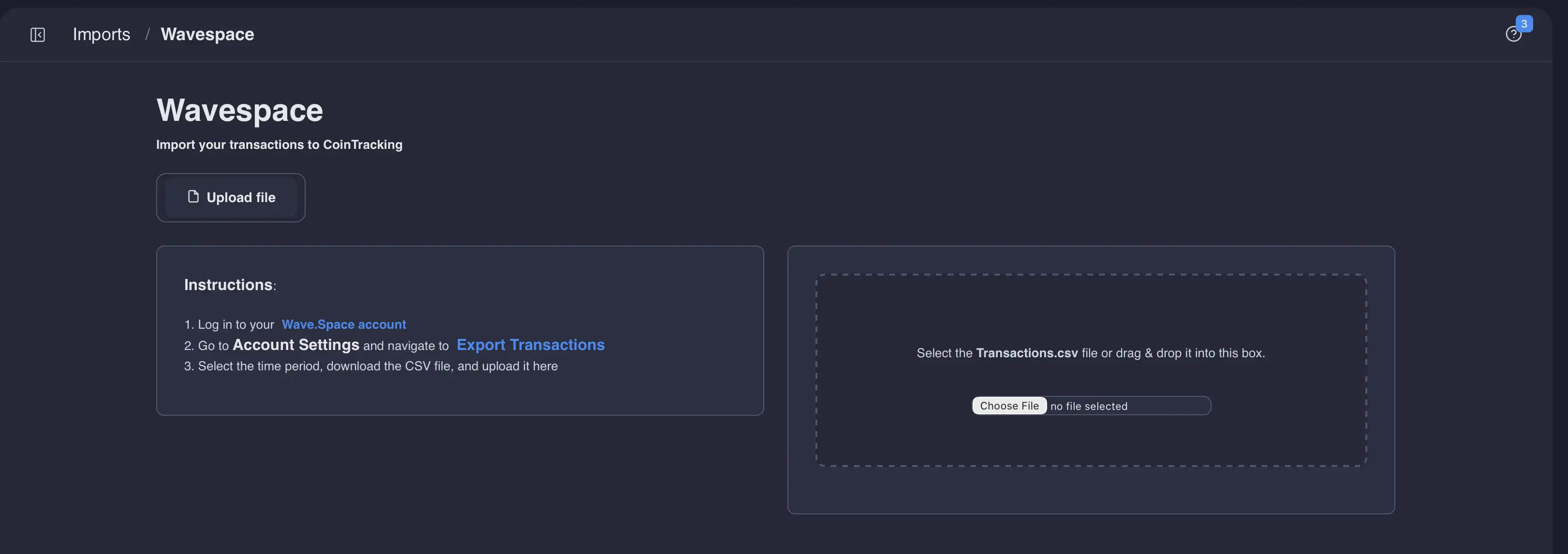
Navigate to "Imports" section on your CoinTracking account and choose Wavespace as an option. Then upload your newly generated CSV file as is. CoinTracking should automatically organize all transactions correctly. You don't need to manually map anything. Finally, click "Start Import"
4. Generate a tax report
Navigate to "Tax Reports" on CoinTracking, choose your jurisdiction, tax year and simply click "Generate Report". That's it! You can always change accounting methods and other parameters to fit your needs.
This gives you an easier path from transaction history to tax-ready reporting, without having to manually sort through every transaction one by one. It is a practical solution for anyone who wants to save time, stay organized, and reduce the headache that often comes with crypto tax season.
Please note that wave.space does not provide tax advice. Tax treatment depends on your individual circumstances and local laws, so we recommend speaking with a qualified tax professional if you need advice tailored to your situation.
